 clane
 Sidecue
Teleprompter for Windows
Read your notes. Keep eye contact.
You glance down at your notes and the whole call sees your forehead. Sidecue keeps the script in a slim window right under your webcam, on top of Zoom, Teams, Meet and your slides, and out of anything you share.


Your camera is at the top. Your notes are lower down.
Every time you check a document further down the screen, your eyes leave the lens, and on the other end that looks like you're reading something else.
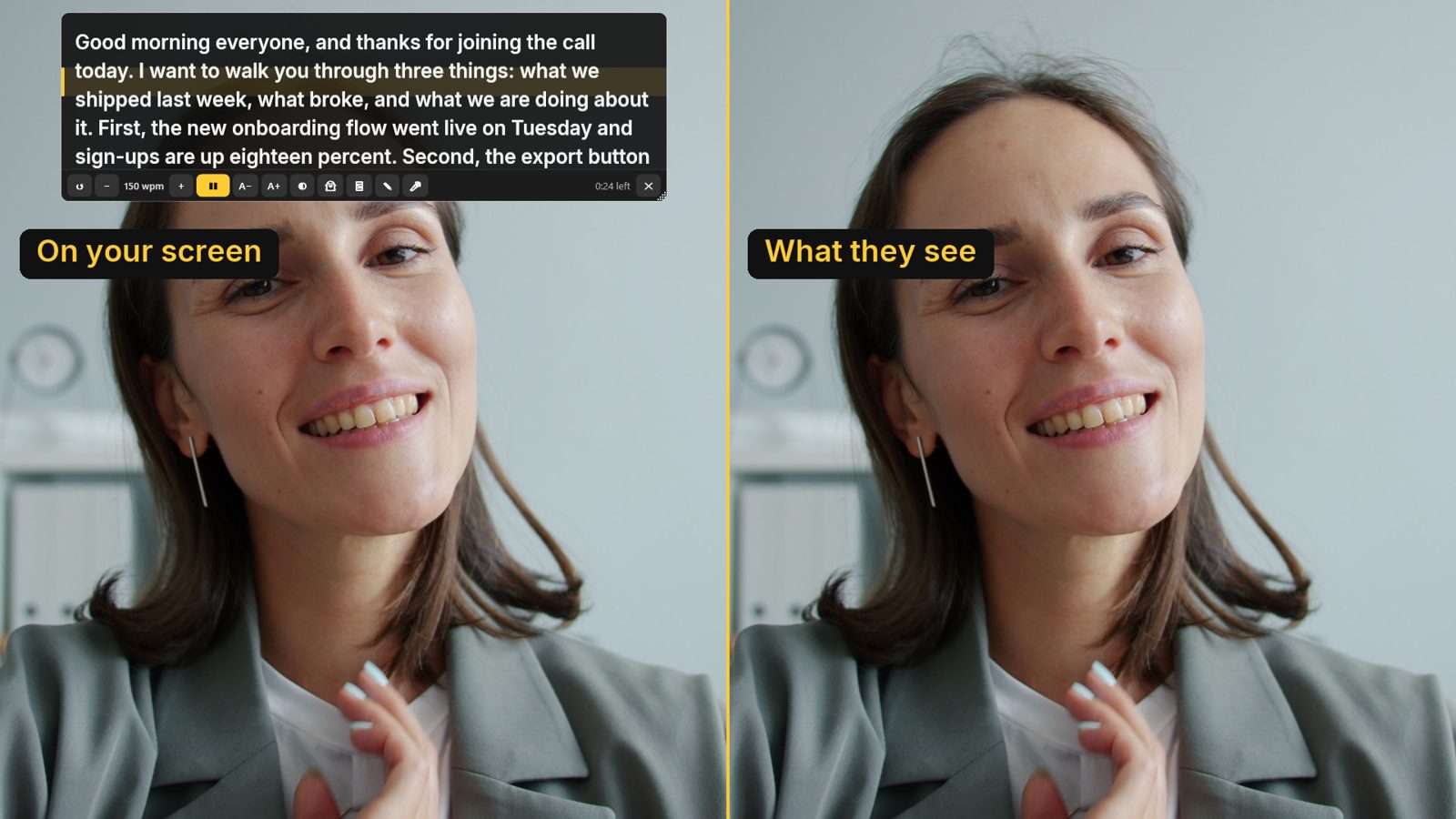
Sidecue puts the words in a strip that touches the bottom of your webcam. The line you're on stays on a yellow band, so a quick glance up finds your place again.
Small app. Everything a teleprompter needs.
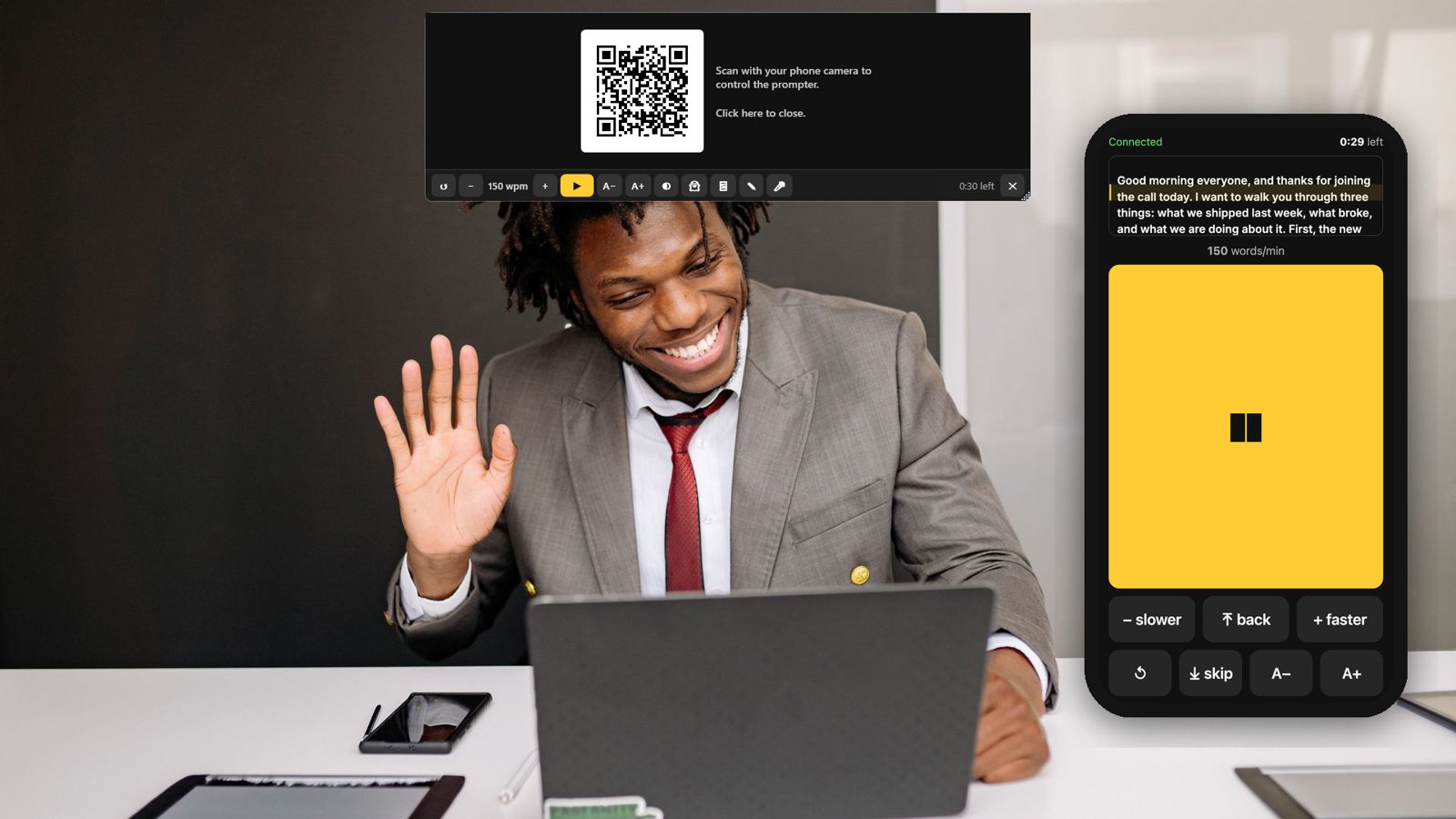
Your phone is the remote
Scan the QR code and the phone shows the same lines, scrolling in step. Pause or jump back without touching the keyboard. It runs in the phone's browser, so there's nothing to install.
Hidden when you share
Windows leaves Sidecue out of screen sharing and recordings. Try the switch at the top of this page.
Cues in your script
Good morning. [PAUSE]
Sign-ups are up **18%**.
→
Good morning. [PAUSE]
Sign-ups are up 18%.
Clicker or foot pedal
Page Up and Page Down from a presentation remote or pedal drive the script, even while Zoom has focus.
Ready for teleprompter glass
Mirror the text or flip it upside down, then press F11 for full screen on the monitor in your rig.
Every script, kept
Each script is a text file in Documents\Sidecue, so updates and new PCs don't wipe them. Opens Word, .txt and .md.
12 languages
The app and the phone remote switch language with one click.
We read 1,050 complaints about other teleprompter apps.
Public reviews on app stores, Reddit and YouTube, grouped by what people said and counted (October 2026). These four shaped Sidecue.
Subscriptions they didn't want, and couldn't cancel easily.
Sidecue: pay once, US$7.99.Paid, then an update locked features behind a new plan.
Sidecue: what you buy stays yours.Scripts lost after an update, a reinstall or a new device.
Sidecue: scripts are plain files in your Documents folder.No mirror mode for teleprompter glass.
Sidecue: mirror and flip, one click each.14 seconds on a real Windows PC: the count-down, then the script scrolls under the webcam.
Try it for a week. Then pay once.
The Microsoft Store gives you 7 days with everything on. If Sidecue earns its spot under your webcam, it's US$7.99 one time. No subscription, no account.
Get Sidecue on the Microsoft StoreQuestions
Does it work with Zoom, Teams, Google Meet and OBS?
Yes. Sidecue is its own window that stays on top of everything, so it works the same over any call app, browser, slideshow or recording tool.
Will people see my script if I share my screen?
No. Windows leaves the Sidecue window out of screen sharing and recordings (Windows 10 version 2004 or later).
Do I need an app on my phone?
No. The remote opens in any modern browser after you scan the QR code. Both devices need an internet connection.
Where are my scripts stored?
On your PC, as text files in Documents\Sidecue\Scripts. There's no account and no cloud copy. See the privacy policy.
Is there a Mac version?
Not yet. Sidecue is Windows only for now.
Something isn't working.
Email [email protected] or open the support page.